Patreon Analytics That Tracks Clicks and Traffic
Patreon tells you how many patrons you have and what you earn. It does not tell you which post, video, or promo actually sent someone to your page and turned them into a patron. Schedlytics connects the content you publish to the clicks, traffic, and pledges it drives.
The gap Patreon insights leave open
Patreon is built to take pledges, not to explain where those pledges came from. Inside Patreon you can see your patron count, your monthly earnings, and how many people churned. What you cannot see is the journey before the pledge. You share links all the time, in your posts, on your about page, in video descriptions, and in your social bios, to promote tiers, products, and external offers. When a new patron arrives, Patreon stays quiet about which of those links did the work.
That gap matters because most creators promote their Patreon in dozens of places. A pinned post, a launch video, a newsletter mention, and a bio link can all point at the same page. Without attribution, every new patron looks like it came from nowhere, and you end up guessing which content to make more of.
Track the links that point at your Patreon
Schedlytics closes the gap with tracked links. Instead of pasting your raw Patreon URL everywhere, you wrap it in a short, branded tracked link and tag it with a campaign. You can do this inside your Patreon posts to promote a specific tier or product, and you can do it in the links you share elsewhere that point back at your Patreon. Every click is recorded with its source and campaign, so a click from your launch video reads differently from a click in your Instagram bio or your newsletter.
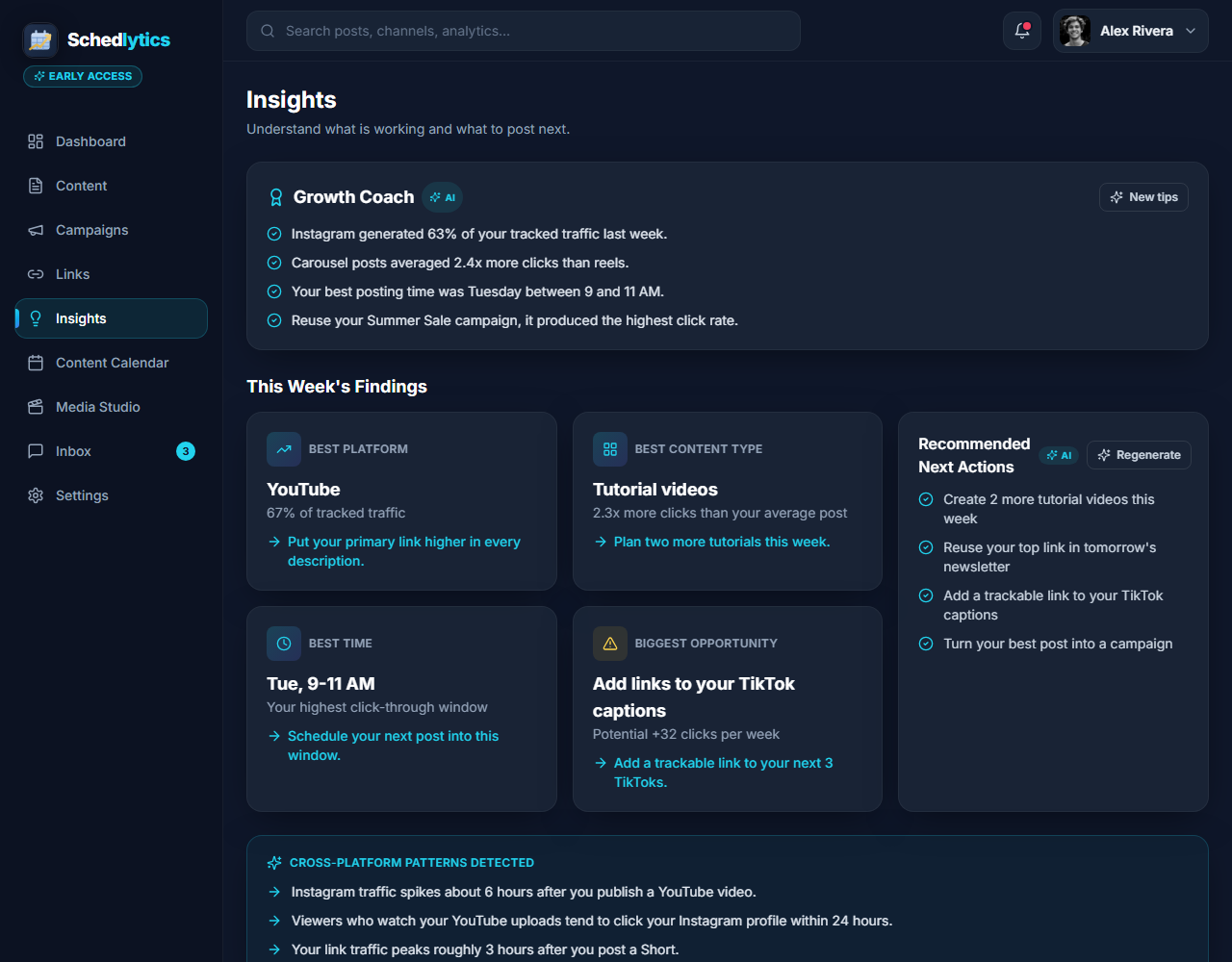
Because each link carries a campaign tag, you can attribute clicks to a specific post or promotion rather than to your whole account. If you build links with the UTM builder, the tags stay clean and consistent, so a year of posts still lines up neatly in your reports. This is the same approach that powers social media analytics across every platform you post on, applied to the content that feeds your Patreon.
Learn which content turns followers into patrons
The real payoff is conversion. A free follower is not a paying patron, and the content that grows your audience is not always the content that grows your income. Schedlytics lets you line up clicks next to new pledges so you can see which posts and external promos actually convert. Maybe your behind the scenes posts get the most clicks, but your tier comparison post brings the most new patrons. That is the kind of thing you can only learn when the clicks are attributed.
Group a launch into a single campaign and you can measure the whole push at once, across your Patreon posts, your videos, and your social links. Instead of judging a launch by a vague bump in pledges, you see exactly which piece of content carried it. Over time, that tells you where to spend your energy and which promos to repeat.
Connect clicks to revenue
Clicks are the start, not the end. Schedlytics is built to connect a click to the patron and the revenue behind it, so each post earns a number you can trust. When you know that one tutorial reliably drives forty new patrons a month and another drives four, your content calendar starts to plan itself. You stop guessing which uploads are worth your time and start making more of the content that genuinely pays.
What you can see
Your content and your patrons, side by side.
Clicks per post
See how many people each Patreon post and promo actually sent to your page, not just how many liked it.
Per promo attribution
Trace new patrons back to the specific post, video, or link that started them, not just your account as a whole.
Source breakdown
Split clicks by where they came from, so your bio link, your newsletter, and your launch video each get their own credit.
Campaign rollups
Bundle a tier launch across posts, videos, and social links into one campaign and measure the whole push. See campaign tracking.
Conversion view
Line up clicks next to new pledges and learn which content turns free followers into paying patrons.
Revenue attribution
Connect a pledge to the post behind it, so you know what each piece of content is really worth.
How to track your Patreon in Schedlytics
1. Make a tracked link
Create a short, branded link to your Patreon page or a specific tier and tag it with a campaign. See link tracking or build one with the UTM builder.
2. Share it where it counts
Drop the link in a Patreon post, your about page, a video description, or a social bio so every promo has its own tagged link.
3. Watch the clicks land
Open Schedlytics to see exactly which posts and promos drove clicks, traffic, and new patrons.
Explore by topic
Frequently asked questions
Does Schedlytics replace Patreon insights?
No. Patreon insights show pledges, patron counts, and earnings. Schedlytics adds the missing piece: the clicks your posts and promos send to your links, so you can connect a specific post to the traffic and patrons it produced.
How does it track clicks for Patreon?
You use a Schedlytics tracked link wherever you point people at your Patreon, such as a post, your about page, a video description, or a social bio. Every click is recorded with its source and campaign, so you can attribute it back to the exact post or promo.
Can I see which content converts followers into patrons?
Yes. By tagging each link with a campaign, you can compare clicks against new pledges and see which posts and external promos actually turn free followers into paying patrons.
Do I have to connect my Patreon account?
No. Tracked links work on their own, including on links you share elsewhere that point at your Patreon. You can start measuring clicks and campaigns without connecting an account.
Know which content earns your patrons
Join early access and connect your posts to real pledges.