Twitch Analytics That Tracks Clicks and Traffic
Viewer counts and follows tell you a stream pulled an audience. They do not tell you whether it sent anyone to your merch, your Discord, or your sponsor. Schedlytics connects each stream to the clicks and traffic it actually drives.
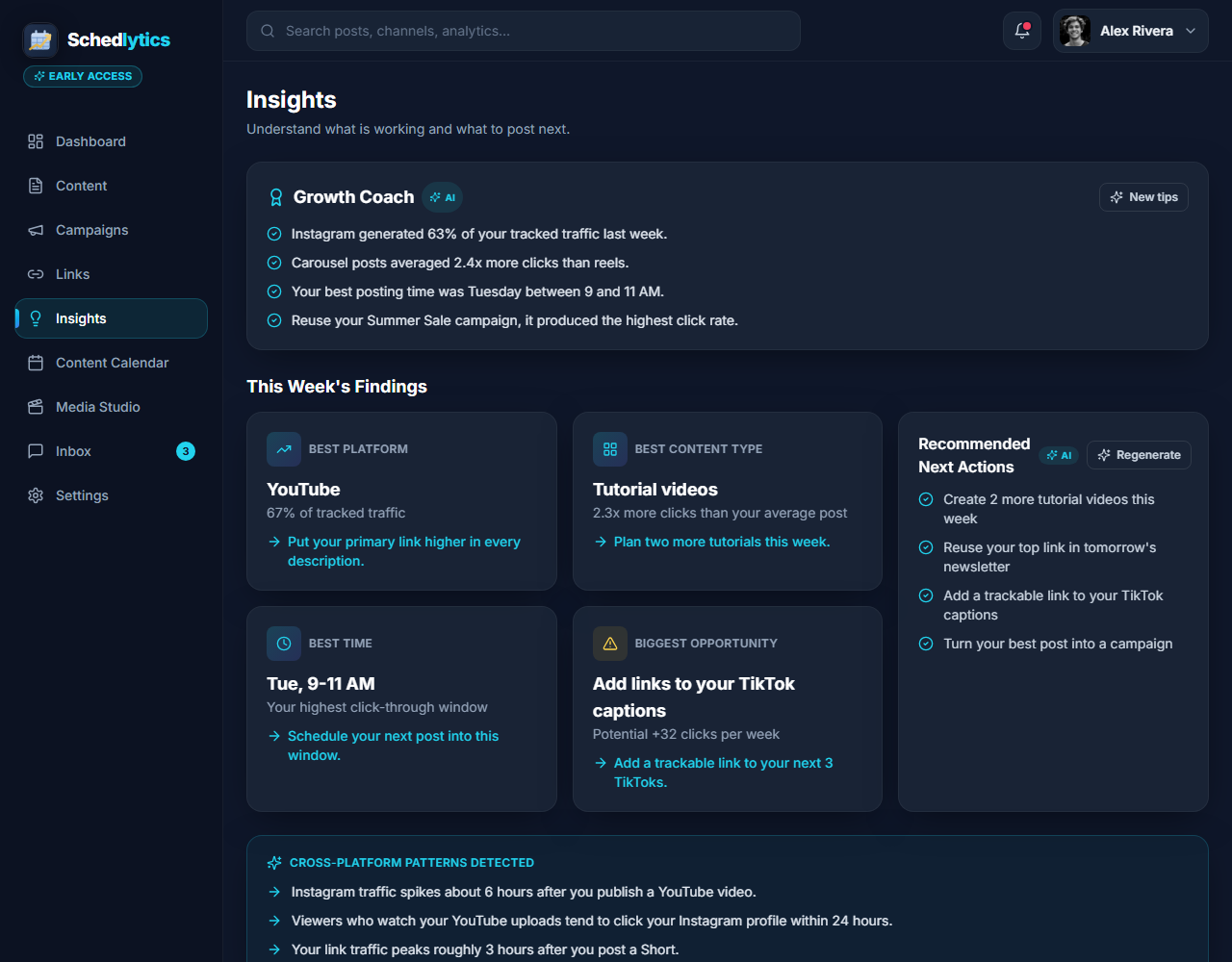
The gap the Twitch dashboard leaves open
The native Twitch dashboard is good at what it does. It shows you concurrent viewers, new follows, chat activity, and how long people stuck around. What it cannot show you is what happens once a viewer clicks away from the stream. Did that drop in your panels actually sell a hoodie? Did the link you spammed in chat fill your Discord? The dashboard goes quiet at exactly the moment that matters for your income.
Most Twitch streamers send people to links in three places: the panels in the about area under the stream, chat commands like an automated !merch or !discord response, and the schedule viewers check before they show up. Each one is a doorway out of Twitch, but the dashboard treats all of them as a black box. You know the stream happened. You do not know what it sent anywhere.
Schedlytics fills that gap. When you put a tracked link in a panel or a chat command, every click is recorded with the stream and campaign it came from. Now you can line up "412 average viewers" next to "96 clicks" and "11 merch orders," and finally know which streams and which offers earn their place in your week.
Put tracked links in panels and chat commands
The setup is the same simple idea wherever your viewers click. You build a short, branded tracked link with the UTM builder, tag it with a campaign, and drop it where people already look. Behind the scenes, Schedlytics handles the link tracking so each click carries its source and campaign with it.
Use one tracked link for the merch panel, another for the Discord chat command, and another for the newsletter link in your schedule. Because every link is distinct, you can finally compare offers head to head. Maybe your Discord link gets ten times the clicks of your merch link, which tells you where your audience actually wants to go next. That is the kind of answer the Twitch dashboard can never give you, and it changes what you put in front of people.
Measure which streams and offers drive traffic
Once links are tracked, the patterns show up fast. A chill just chatting stream might quietly send more people to your newsletter than a hype game launch, because your audience is in a mood to read. A late night stream might outdraw your prime time slot on clicks per viewer. With social media analytics in one view, you can also see how the clip you posted off the back of a stream kept sending traffic for days.
Group a week of streams, a sponsor read, and the clips you cut from them into a single campaign, and Schedlytics rolls the whole push up for you. Instead of guessing whether that sponsor segment was worth it, you see exactly how many clicks it sent and where they landed. The streams that quietly drive traffic stop getting overlooked just because they had a smaller crowd.
Connect clicks to real revenue
Clicks are the bridge between a stream and the money. A tracked link to your merch store, your membership page, or a sponsor offer lets you connect a sale back to the stream that started it. When a sponsor asks for proof their read worked, you have a number instead of a feeling. When you decide which days to stream and which offers to push, you are working from what your viewers actually do, not what the viewer count implies.
That is the whole point. Twitch tells you how big the room was. Schedlytics tells you what the room did next, so every panel, every chat command, and every stream on your schedule can be judged on the traffic and revenue it really drives.
What you can see
Your streams and your results, side by side.
Viewers next to clicks
Compare the size of your audience against the clicks each stream drove, so a quieter stream that converts gets the credit it deserves.
Panel and command attribution
See which panels and chat commands send people anywhere, from your merch store to your Discord, instead of guessing.
Per stream tracking
Trace traffic and signups back to the specific stream that started them, not just your channel as a whole.
Offer comparison
Give merch, memberships, Discord, and sponsors each their own link and watch which offers your viewers actually click.
Campaign rollups
Bundle a week of streams, a sponsor read, and your clips into one campaign and measure the whole push. See campaign tracking.
Revenue attribution
Connect a merch order, a membership, or a sponsor click to the stream behind it, so you know what each stream is really worth.
How to track a Twitch stream in Schedlytics
1. Make a tracked link
Create a short, branded link to your store, Discord, or newsletter and tag it with a campaign. See link tracking or build one with the UTM builder.
2. Add it where viewers click
Drop the link into a panel, a chat command, or your schedule so viewers have one clear next step.
3. Watch the clicks land
Open Schedlytics to see exactly how much traffic and revenue that stream produced.
Explore by topic
Frequently asked questions
Does Schedlytics replace the Twitch dashboard?
No. The Twitch dashboard shows viewers, follows, and chat activity. Schedlytics adds the part Twitch leaves out: the clicks your panels and chat commands send to your links, so you can connect a stream to the traffic and revenue it produced.
How does it track clicks from a stream?
You put a Schedlytics tracked link in a panel, a chat command, or your schedule. Every click is recorded with its source and campaign, so traffic ties back to a specific stream or offer.
Can I track different links for merch, Discord, and sponsors?
Yes. Give each destination its own tracked link and you can compare which offers your viewers actually click, from merch and memberships to your Discord and sponsor pages.
Do I have to connect my Twitch account?
You can use tracked links in your panels and chat without connecting an account. Tracked links do the attribution work on their own.
Know which streams actually pay off
Join early access and connect your streams to real results.